TikTok Safe Area: The Ultimate 2026 Creator's Guide
In the fast-paced world of short-form video, framing is everything. Whether you are a seasoned editor or just starting out, understanding the TikTok Safe Area is the difference between a professional-looking video and one where your hard-earned captions are hidden behind a "Follow" button. As social media interfaces evolve in 2026, staying ahead of UI changes is crucial for maintaining high engagement.
Why Every Creator Needs a TikTok Safe Zone Template
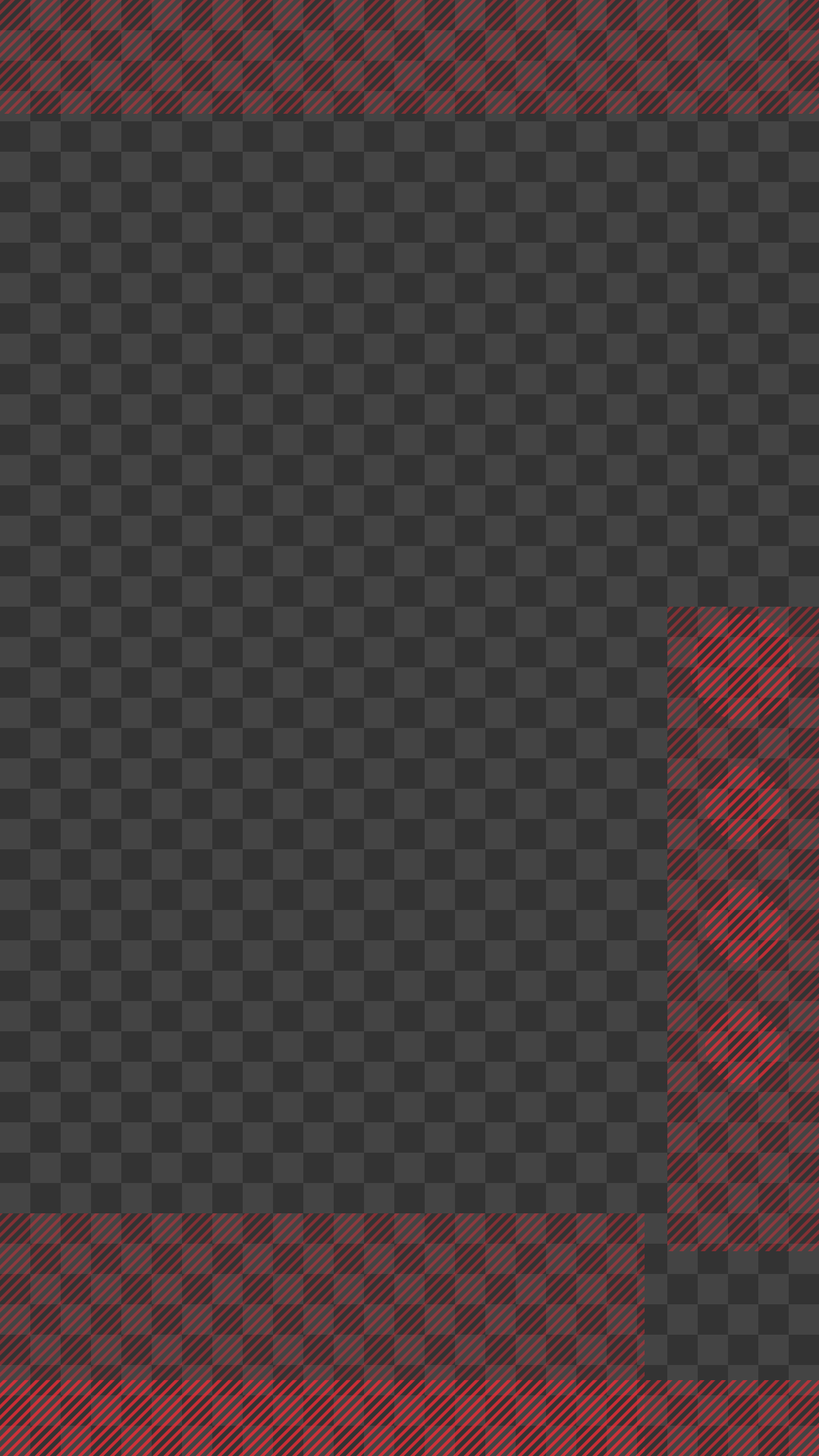
A tiktok safe zone template is an essential tool in any video editor's arsenal. It acts as a visual guide, showing you exactly where the "danger zones" are—those areas covered by the profile icon, like buttons, and video descriptions. By using a tiktok safe zone guide, you ensure that your text, faces, and product shots remain visible across all devices, from small smartphones to larger tablets.
Our interactive tool provides a live preview, but many professional editors prefer to work directly in their software. That's why we provide a high-quality tiktok safe zone png that you can overlay on your timeline in Premiere Pro, Final Cut, or CapCut. This ensures 100% accuracy from the first cut to the final export, saving you from the frustration of having to re-edit and re-upload because a crucial caption was blocked by the "For You" feed interface.
The Importance of the TikTok Safe Area in Modern Editing
The TikTok safe area isn't just a static box; it's a dynamic space that shifts based on the length of your caption and whether you're running ads. Editors who ignore these boundaries often find their call-to-actions (CTAs) cut off, leading to a significant drop in conversion rates and viewer retention. Precision is key in 2026's competitive landscape, where every pixel counts in capturing and holding a viewer's attention.
Expanding Beyond TikTok: Instagram Reels Safe Zone and More
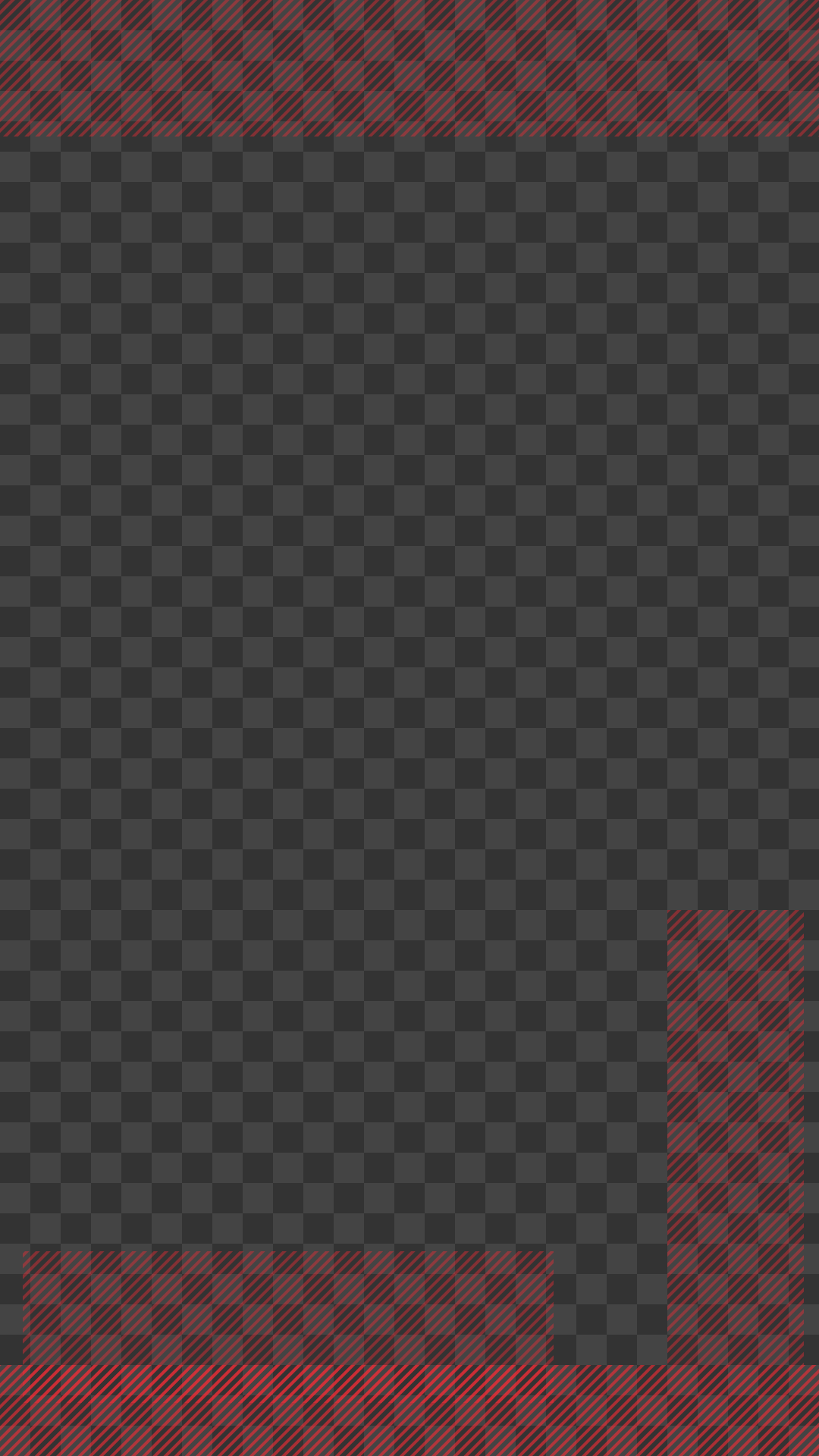
While TikTok started the trend, every platform now has its own unique overlay. The instagram reels safe zone differs slightly from TikTok, particularly in how it handles the bottom navigation bar and the top header area. If you're cross-posting content from one platform to another, you need to be aware of the reels safe zone to avoid messy overlaps that make your content look amateurish.
To help you streamline your workflow and save hours of manual checking, we've developed a comprehensive reels safe zone template 2026 as a transparent PNG. This allows you to check your framing for both platforms simultaneously within your editing suite, ensuring your content looks native and polished no matter where it's eventually viewed by your audience.
Navigating the Meta Reels Safe Zone
With the integration of Facebook and Instagram, the meta reels safe zone has become a standard for creators targeting the broader Meta ecosystem. Our 2026 updates account for the latest UI tweaks in the Meta Business Suite and the Facebook mobile app, giving you peace of mind that your ads and organic posts are perfectly centered and professional across all Meta-owned properties.
How to Use Our Safe Zone PNG Templates for Professional Results
Using a reels safe zone template png or a tiktok safe zone png is a straightforward process that yields professional results every time. Follow these simple steps to integrate them into your editing workflow:
- Download the transparent PNG template from our dedicated template section below.
- Import the file into your preferred video editing software (Adobe Premiere Pro, After Effects, Davinci Resolve, or CapCut).
- Place it on the top-most video track of your timeline so it overlays all other elements.
- Adjust your text, graphics, and key visual elements so they stay within the "Safe" boundaries indicated.
- Toggle the visibility of the template layer to check your progress, and remember to hide or delete it before your final export.
Perfecting Your YouTube Shorts Safe Zone
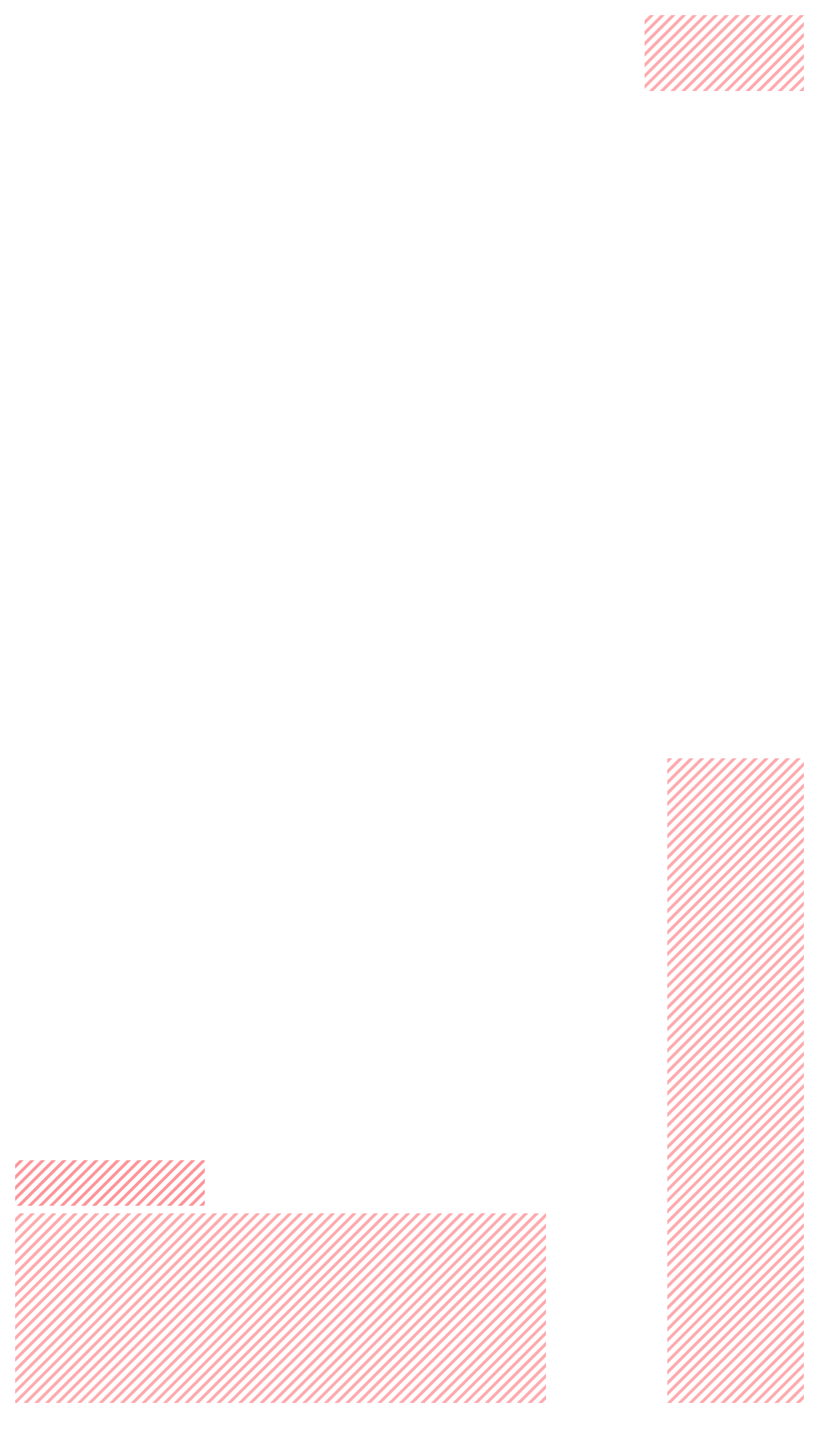
Don't forget about YouTube! The youtube shorts safe zone is notoriously tricky due to the large "Subscribe" button, the channel name, and the related video overlays at the bottom of the screen. Our tool allows you to toggle between platforms instantly so you can verify your youtube shorts safe zone alignment in seconds, ensuring your content performs well across the entire vertical video landscape.
Why Our Tool is the #1 TikTok Safe Zone Resource in 2026
We built this tool because we are creators and editors ourselves. We know the deep frustration of spending hours on a video only to realize upon uploading that the most important text is covered by a UI element. By providing the most accurate, up-to-date tiktok safe area and reels safe zone information for 2026, we empower you to focus on what matters most: creating incredible, engaging content. Download our tiktok safe zone template today and take the guesswork out of your social media video production.